


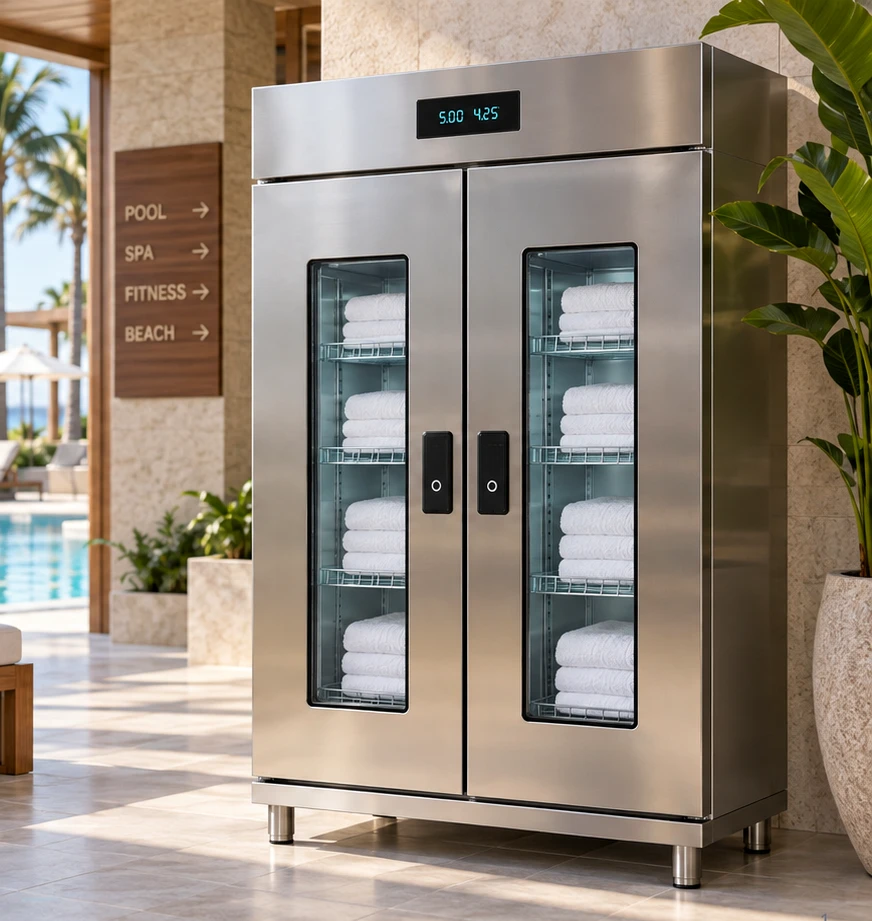
SMART TOWEL LOCKER WORKFLOW
Towel Dispensing Workflow should be planned around the real workflow. A smart towel locker addresses loss at the issue point by controlling who can access clean stock. It is most useful when unlimited pickup is a bigger problem than unauthorized removal through one doorway. A practical towel dispensing workflow begins by mapping issue, use, return, storage and the point where exceptions occur.
Towel Dispensing Workflow: Control issue before the towel becomes unaccounted for
When users identify themselves before access, the facility can limit or record issue events according to its operating rules. That creates a different kind of control from an exit alarm: the goal is to manage distribution and accountability before the towel enters circulation.
Treat clean issue and used return as one cycle
A clean-towel cabinet solves only half of the operation if used towels have no obvious return path. Plan where clean stock is loaded, how an authorized user receives a towel, where used items are returned and how staff know when to replenish or collect them. The cleaner this cycle is, the more useful the data becomes.
Towel Dispensing Workflow: automatic Card ID assignment and return clearing
With compatible member or guest credentials, the cabinet can authorize access by Card ID. After the door closes, RFID inventory can identify which tagged towels were removed and associate them with that Card ID. At a connected return point, the towel tag can be read again and the balance can be reduced automatically without another card tap.
For larger deployments, the same towel dispensing workflow can add event history, external membership or hotel-system synchronization, and optional mobile notifications for configured loss-prevention events.
Choose the access method around the facility
Member cards, employee credentials, room-related access or other identifiers can be considered depending on the existing facility systems. The cabinet should not force a complicated identity workflow when the site only needs simple controlled dispensing. Integration should be scoped from the actual card/database information rather than assumed. The towel dispensing workflow process should be easy for staff and users to follow during normal daily operation.
- Who is allowed to open or dispense?
- Is one towel per event enough or are multiple items needed?
- Does access need to be associated with a room, member or employee?
- What happens when the primary credential is unavailable?
Cabinet, staffed counter or open shelf?
Compared with an exit-only system, a smart locker provides stronger control over clean stock but requires a defined access and replenishment workflow. Some facilities use both controlled issue and exit monitoring; others need only one of them. The choice should follow the observed loss pattern.
Use data for replenishment, not surveillance
Useful operational data includes stock level, issue events, return volume and exceptions that require staff attention. The purpose is to keep towels available and reduce loss. Avoid collecting more personal information than the workflow needs.
Measure both service and loss
Measure towels issued per user visit, return ratio, clean-stock availability and replacement cost. If issue control reduces overuse but returns remain weak, improve the return side rather than adding more rules to the cabinet.
Common towel-cabinet mistakes
- Planning dispensing but not the used-towel return path.
- Using an access method that does not match the facility’s existing credentials.
- Choosing cabinet capacity from total towel inventory instead of peak replenishment interval.
- Ignoring staff loading and collection workflow.
- Assuming integration is automatic before confirming card type and database access.
- Adding complex rules before a simple pilot workflow is proven.
What to send for a cabinet recommendation
Provide the facility type, daily users, peak-hour demand, towel size and approximate clean stock on hand. Explain the existing member/employee/room credential, desired issue rule, return location and whether staff need alerts or software reports. Photos of the proposed cabinet and return areas are also useful.
Related planning guides
A practical commissioning example
A smart towel locker helps when the loss begins with uncontrolled clean-towel access. Instead of relying on a public pile, the cabinet can require an approved user before clean stock is accessible. That changes the issue step, but it does not automatically solve the return step. A successful design therefore places the used-towel return where users naturally pass and defines how returned items are reconciled before they are washed and restocked.
How to validate the workflow before full rollout
Run a pilot with real membership or access credentials and a controlled group of towels. Test active and inactive users, repeated access, staff replenishment and the used-return process. Review whether the recorded issues match physical stock. If the cabinet is intended to support accountability, create a clear rule for when an item is considered returned and how unresolved assignments are handled by staff.
Decisions to make before ordering
- Is uncontrolled clean-towel pickup the main source of loss?
- What existing credential identifies the user?
- How many clean towels must be available at peak demand?
- Where will used towels be returned and reconciled?
- What should the system or staff do with an unresolved issue?
Write these answers into the project scope before comparing equipment. They create an acceptance target for the installer and a training reference for the employees who will use the system later. If one of the answers changes, update the scope before adding hardware so the installation continues to solve the operating problem described on this page.
Project handover and future expansion
For smart towel locker: controlled issue and loss prevention, keep a short handover record with the final layout, equipment locations, naming convention, normal operating steps and the person responsible for routine changes. Record the settings that were proven during acceptance instead of relying on memory. This makes later service, staff training and expansion much easier.
Expansion should follow a new operational requirement: another entrance, a larger inventory, additional reports, a new department or a need for remote visibility. Add the smallest component that solves that new requirement while preserving the working first phase. A modular project is valuable because the original installation remains useful rather than becoming a disposable pilot.
Frequently asked questions
Can a towel cabinet operate without a full software integration?
Yes. The exact access method depends on the selected configuration, and integration can be added when there is a defined business need.
Should clean and used towels use the same cabinet area?
They should be planned as separate clean-issue and used-return flows unless a specific cabinet design safely separates them.
How do we size cabinet capacity?
Use peak demand and the staff replenishment interval, not only the total towel inventory in the building.
Does a smart locker eliminate the need for exit monitoring?
Not always. It depends on where losses occur. Controlled issue and exit monitoring solve different stages of the towel cycle.