




INVENTORY & ITEM SEARCH GUIDE
Inventory Item Search Workflow should be planned around the real workflow. Fresh USA inventory systems are built for businesses that need faster physical counts, easier item search and better visibility of tagged merchandise, tools, garments or assets. A project can start with mobile inventory and grow into fixed inventory stations, monitored rooms or zones, issue/return workflows and loss-prevention exits.
What an inventory and item-search system can do
Traditional barcode inventory requires line-of-sight and usually one-by-one scanning. A UHF-tagged inventory workflow can read many compatible items quickly, making it practical for recurring cycle counts, stock audits, asset checks and finding a specific tagged item inside a room or storage area. The technology is useful in warehouses, retail stockrooms, factories, laundries, uniform rooms, libraries, healthcare support areas and operations that manage tools or reusable assets.
- Count many tagged items during a physical inventory or cycle count.
- Search for one specific item with a mobile handheld reader.
- Register item IDs and connect them with descriptions, users, rooms or workflow records.
- Add fixed monitoring points for entrances, exits, rooms or defined inventory zones.
Start with the simplest inventory tool you actually need
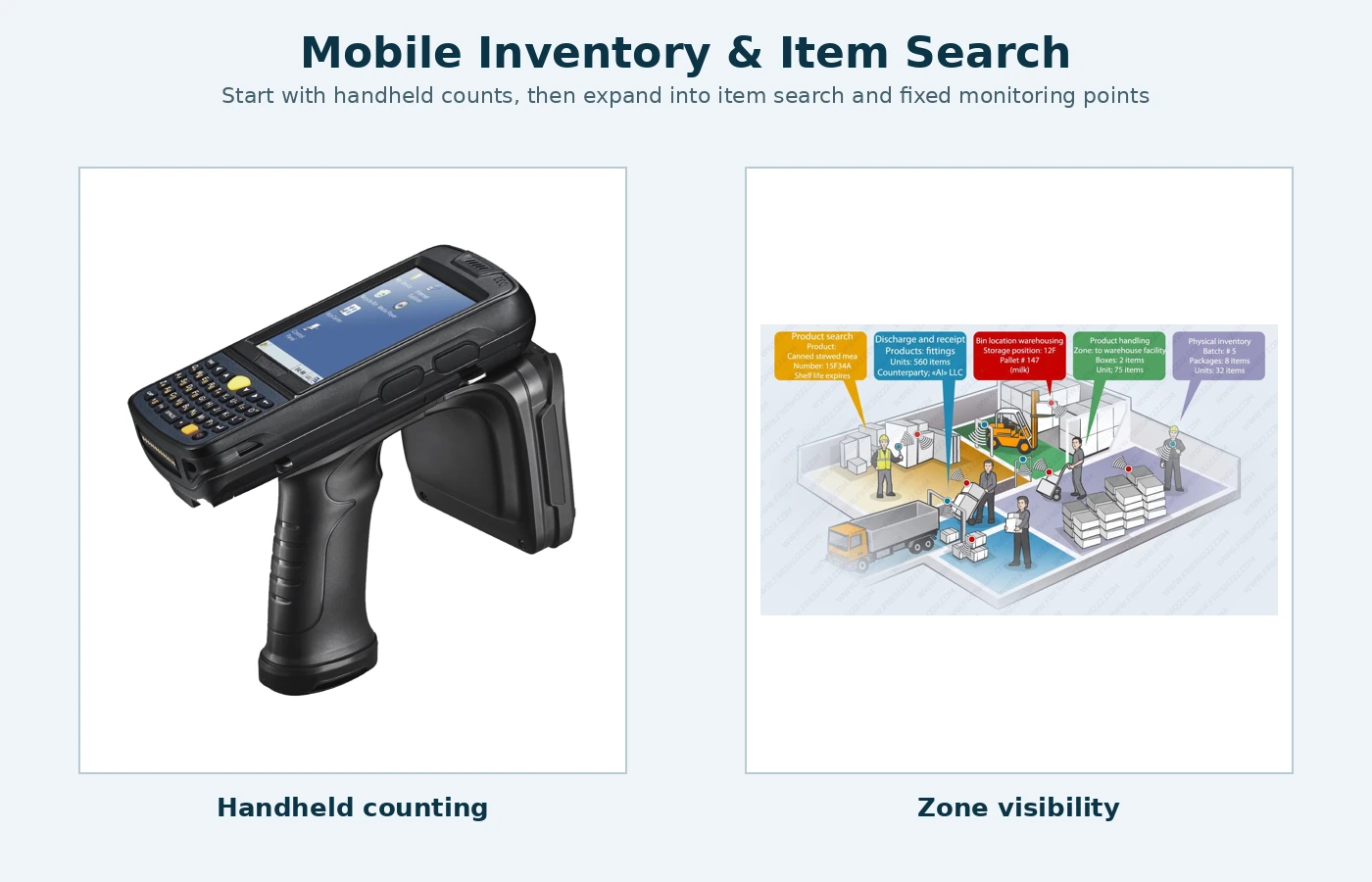
Mobile inventory is often the simplest first step. A handheld reader can be carried through shelves, carts or storage rooms to count tagged items and help locate a specific item without installing fixed equipment throughout the building.
Fixed inventory monitoring is useful when the business wants repeatable scans at a workstation, doorway, shelf area, room or controlled zone. Fixed readers can send data to Fresh USA software for inventory records, movement history or zone-level visibility depending on the selected architecture.
Combined inventory and security adds protected exits or monitored perimeters. The same tagged item can participate in inventory workflows and, when appropriate, an anti-theft process. High-value merchandise such as jewelry uses a different Smart Shelf architecture and should be planned separately from a standard overhead exit-protection system.
Mobile handheld inventory and fixed readers
The F-880 handheld platform is useful when staff need mobility: fast counts, spot checks, audits and specific-item search in storage rooms or operating areas. Fixed readers are better when the process should happen at a defined point automatically or repeatedly, such as a receiving station, issue/return point, monitored doorway or fixed inventory zone.
Many projects use both. The fixed system provides routine operational visibility while the handheld is used for exceptions, reconciliation and searching. This is especially effective for uniforms, laundry textiles, tools, equipment and warehouse assets that move between storage and work areas.
Software, database and scalable workflows
Fresh USA software-managed inventory configurations can support item registration, fixed reader connections, movement or event records, issue and return documents, searchable history and data exchange with compatible handheld workflows. The goal is to build only the functions the business needs rather than forcing every project into a large enterprise platform.
A common expansion path is mobile counting first, then one fixed inventory point, then additional rooms or entrances, and finally protected exits or high-value monitoring where needed. Compatible expansion does not require replacing the complete first-stage system.
Inventory system questions
Can one system handle both counting and item search?
Yes. A mobile handheld workflow can support fast inventory counts and search for a selected tagged item. Fixed readers can be added when automatic monitoring at specific locations is also required.
Do I need fixed readers in every room?
No. Add fixed monitoring only where the workflow benefits from it. Many businesses combine a small number of fixed points with mobile handheld inventory.
Can inventory later be combined with loss prevention?
Yes. Compatible tagged assets can be managed in inventory and protected at selected exits or perimeters with additional equipment and software functions.
Inventory Item Search Workflow: project inputs to define first
Before comparing equipment, document item type, quantity, issue point, return point, storage, laundry handoff, monitored exits and the staff response when an exception occurs. The purpose of this step is to turn a broad idea into an operating requirement that can be tested. A quotation is much easier to compare when every option is measured against the same workflow instead of against a different marketing claim.
For inventory item search workflow, write down who uses the system, what a normal successful event looks like, what should happen when something is denied or missing, and who is responsible for maintaining users, items or settings after installation. These details reduce surprises during commissioning and help keep the first phase appropriately simple.
- Define the normal operating sequence from start to finish.
- List the physical dimensions or capacity limits that affect the project.
- Separate must-have functions from features that can wait for a later phase.
- Identify the staff member or team responsible for day-to-day administration.
- Decide what information must be recorded and what can remain standalone.
- Write a short acceptance test before equipment is ordered.
Test the real workflow before full rollout
Before full deployment, test normal issue, normal return, missing items, authorized removal, busy periods, laundry transfers and the way staff resolve an exception without slowing normal users. A useful test is based on the actual site and representative users or items. It should confirm not only that the equipment works, but that the entire operating sequence is understandable and repeatable for the people who will use it every day.
A well-defined inventory item search workflow setup should be tested with representative users, items and normal exception cases before full rollout. Record the working settings, physical positions and staff steps that produced the accepted result. That baseline is valuable later when equipment is moved, expanded or serviced.
Measure the result and keep expansion simple
After launch, review return rate, unresolved shortages, stock accuracy, replenishment effort and how quickly staff can investigate a missing item. The first objective is to confirm that the original operating problem improved. If the process is already working, expansion should add a specific missing capability rather than complexity for its own sake.
Documenting the inventory item search workflow makes training, troubleshooting and future expansion easier. A later phase may add software, more control points, additional storage, reports or integrations, but those additions should build on a workflow that already works reliably.
For related planning material, continue to the towel and textile guides. Keeping related pages connected also helps staff and buyers move from a broad planning question to the specific system they actually need.
Planning questions
Should the first phase include every possible feature?
No. Start with the functions required to solve the current operating problem. Add optional reporting, additional zones or integrations when there is a clear reason for them.
What information is most useful before requesting a quote?
Send site dimensions, representative photos, approximate volume, the normal workflow, the exception you want to control and any existing equipment that the new system must work with.
How should future expansion be handled?
Keep the original acceptance criteria and working settings. Expand from that baseline so new hardware or software adds a defined function without replacing parts that are already doing their job.