





FAST PHYSICAL INVENTORY GUIDE
Physical Inventory Counting Workflow should be planned around the real workflow. Fast inventory is not only about reading many tags quickly. The biggest gains come from preparing the database, dividing the facility into sensible zones, using a repeatable count path and treating exceptions separately. This guide explains a practical workflow for physical inventory and item search without turning the article into a product catalog. A practical physical inventory counting workflow project should be defined around the real workflow, not only a catalog specification.
Physical Inventory Counting Workflow: Why physical inventory becomes slow and unreliable
Traditional inventory often requires an employee to find each label, bring a scanner close enough to read it, confirm the description and then repeat that process hundreds or thousands of times. The work becomes even slower when labels are hidden, items are stacked, garments are hanging tightly together or assets have moved away from their expected locations.
However, reading technology is only one part of the problem. A facility can own a fast handheld reader and still get poor results if the item database contains duplicates, retired assets, vague descriptions or no location structure. Speed comes from combining good identification with a disciplined inventory process.
The original Fresh USA archive discussed rapid textile inventory for hotels, gyms, spas and other facilities with towels, robes, linen and uniforms. The same planning principles apply to many other reusable assets: prepare the records, divide the space, count consistently and investigate the exceptions after the first pass.
Prepare the inventory database before walking the floor
- Remove or clearly mark retired items that should no longer appear in active inventory.
- Merge accidental duplicate records before a new count begins.
- Use clear names that distinguish similar assets, sizes or item types.
- Assign a normal room, department, rack or other location when location matters.
- Confirm that each physical tag is associated with the intended database record.
- Create a simple status for missing, damaged, in-service or out-of-service items if the workflow needs those distinctions.
This preparation prevents the operator from stopping during the count to solve database problems that should have been handled earlier. It also makes exception reports meaningful after the count is complete.
Divide the facility into practical inventory zones
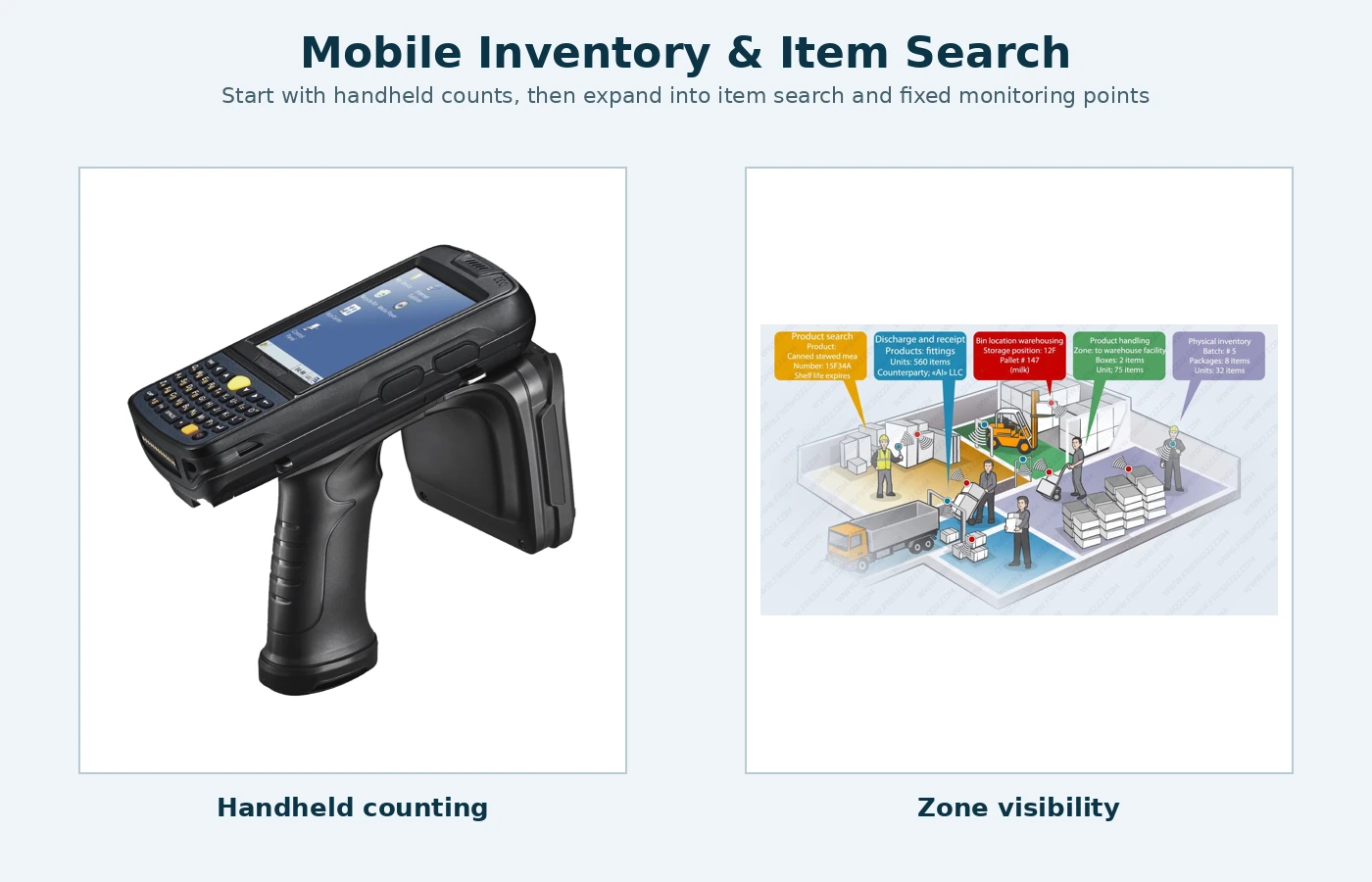
A large building should not be treated as one undefined count area. Divide it into locations that staff already understand: rooms, departments, racks, linen closets, floors, work areas or storage zones. The purpose is not to create a complicated map; it is to make the operator confident about where the count started and ended. The physical inventory counting workflow setup should be tested with representative items, users and operating conditions before full rollout.
When the same asset can move between departments, a zone-based inventory also helps identify misplacement. An item found in the wrong room may not be missing at all. This is one reason why item search and physical inventory should be considered together.
For textiles, the workflow may also include clean stock, items currently in use and items at the laundry. Those are operational states rather than physical rooms, but the database should still make it possible to distinguish them when the business needs that information.
A repeatable handheld inventory workflow
- Start with a known zone. Confirm the area name before the first scan or read.
- Walk a consistent path. Move around the perimeter, racks or rows in the same direction so the operator does not repeatedly cover the same area.
- Let the first pass be fast. Do not interrupt the entire count for every exception.
- Review the result. Compare detected items with the expected list for that zone.
- Search for exceptions. Use specific-item search for important assets that are still missing.
- Resolve status. Confirm whether each exception is misplaced, checked out, in laundry, damaged, retired or genuinely missing.
- Save the verified result. The final count becomes the next trusted baseline.
This method is usually more efficient than repeatedly recounting everything until the totals happen to match.
How item search differs from inventory counting
Inventory asks, “What is here?” Item search asks, “Where is this specific asset?” Those are related but different tasks. A handheld reader can support both when the software allows the operator to select a target item and use the changing response to narrow down its physical location.
Specific-item search is especially valuable when the asset is physically hidden among many similar objects. Examples include garments on a conveyor, equipment stored on shelves, tagged tools, boxes, jewelry trays or textile carts. The operator can search the correct area instead of opening every container or reading every visible label individually.
Handheld inventory versus fixed monitoring points
A handheld reader is a mobile tool for periodic counts and item search. A fixed reader serves a different purpose: it can monitor a defined doorway, exit or work zone and create an event when a tagged asset moves through that point. One does not automatically replace the other.
Many businesses should begin with handheld inventory because it solves the immediate need at the lowest complexity. Fixed read points can be added later at locations where automatic movement history is genuinely useful, such as a controlled stockroom door, tool crib or monitored exit.
This staged approach also keeps the first project from becoming unnecessarily expensive. The same database can support more read points later if the system architecture is planned for expansion.
Textile inventory has special workflow considerations
Towels, robes, uniforms and linen move through repeated use and laundry cycles. Their physical location changes constantly, so a useful inventory process should distinguish clean stock, issued or in-use items, returns and laundry when the business needs that level of control.
Washable textile tags must also match the real laundry process. Temperature, pressure, drying, finishing and chemical exposure matter. The tag should be treated as part of the textile workflow, not simply as an electronic label added after the system is designed.
A textile-rental operation may need customer-level records, while a gym may only need clean stock and loss monitoring. The database should therefore reflect the business question rather than copy a generic inventory template.
Common reasons fast inventory projects disappoint
Dirty database
Old and duplicate records create false exceptions that waste time after every count.
No location structure
A count can confirm that an item exists without helping staff determine where it should normally be.
Too much technology at once
Adding fixed readers everywhere before the workflow is understood can create more data than the business can use.
Wrong tag for the asset
Metal, textiles, jewelry and general merchandise can require different tag constructions and placement.
No exception procedure
The first count will rarely explain every difference. Staff need a repeatable process for investigating missing or misplaced items.
No ownership of the data
Someone must be responsible for adding new assets, retiring old ones and keeping location information current.
What to include when requesting an inventory-system configuration
Describe the item types, approximate quantity, physical environment, number of locations, frequency of inventory, whether specific-item search is needed and whether movement through doors should be recorded automatically. For textiles, include the laundry process. For metal assets, explain where the tag can be mounted. For jewelry or very small items, include photographs and approximate dimensions.
This article focuses on the method of making inventory faster and more repeatable. Current hardware, software packages, tags, handheld readers and pricing are intentionally kept on the main Fresh USA commercial site to maintain a separate search intent.
Fast physical inventory FAQ
Can inventory be done without fixed doorway readers?
Yes. Periodic inventory and item search can begin with a compatible handheld reader. Fixed monitoring points are optional.
Can the same handheld find one missing item?
Yes, when the selected item is registered and the software supports a specific-item search workflow.
How often should a physical inventory be performed?
The useful frequency depends on asset value, movement and loss risk. Some businesses count daily high-value items while others perform weekly, monthly or cycle counts.
Should every doorway be monitored automatically?
No. Add fixed monitoring only where automatic movement records solve a defined operational problem.
Can inventory expand to several locations?
Yes. A database and software architecture can be designed to support several readers, handheld devices or business locations as the project grows.
Related planning guides
For the next planning step, see inventory item search workflow and RFID textile inventory workflow.